Customers rarely ask for integrations in abstract terms. They ask whether your product can join the tools they already use. For teams that rely on n8n, that often becomes a familiar question: “Can I connect your API to my workflow?”
An HTTP Request node can connect almost any API to n8n, but customers have to configure authentication, endpoints, parameters, and response handling themselves. A dedicated n8n node can make those common actions easier to find and use. The work is building and maintaining that node.
NativeShip is designed to help SaaS teams turn an existing API into an n8n community node, then build and publish the resulting package. Here’s what that involves, where a tool like NativeShip fits, and what to consider before adding an n8n integration to your product roadmap.
Why build an n8n integration for your SaaS?
n8n lets people connect services into workflows that run when an event happens or on a schedule. A customer might create a lead in one app, enrich it with another service, send a notification, and update a CRM, all in one workflow.
If your SaaS only offers an API, technically capable users can still connect it with a generic HTTP Request node. They need to know which endpoint to call, how to authenticate, what data to send, and how to interpret the response. That flexibility is useful, but it puts more setup work on each customer.
A dedicated node can present your product’s API as named resources and actions. Instead of asking users to assemble a request to POST /v1/customers, the node might offer a Customer → Create operation with labeled fields. A clear interface can reduce repetitive setup and help users understand what your API can do inside an n8n workflow.
An n8n node can support workflows for:
- Lead capture and enrichment
- Customer onboarding
- Notifications and alerts
- Data synchronization
- Content or campaign operations
- Internal reporting and administration
The node does not need to replace your API or cover every possible endpoint. It should make the most useful workflow actions straightforward, while your API remains available for advanced use cases.
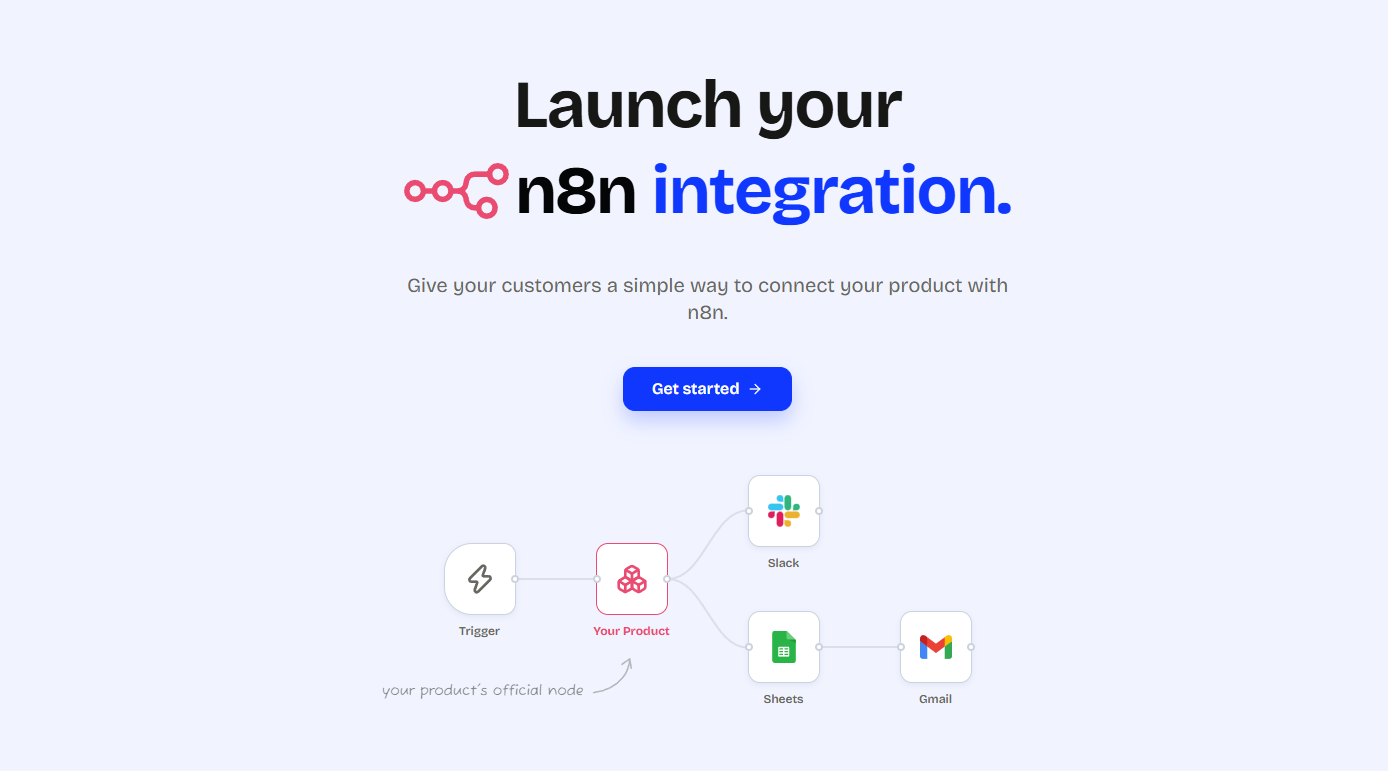
What is NativeShip?
NativeShip is a node-building tool for SaaS companies that want to offer an n8n integration. It helps teams define how their API appears in n8n, generate a community-node package, and prepare that package for publishing.
An n8n community node is an installable package that adds a service or capability to n8n. It can expose operations and credentials in the workflow editor, so users can configure common tasks without manually building every API request. The quality of the integration still depends on good API coverage, sensible field names, clear authentication, and thoughtful error handling.
NativeShip is intended to handle much of the node packaging workflow around an existing API. Your team still decides which parts of the product to expose and should review the generated result before releasing it.
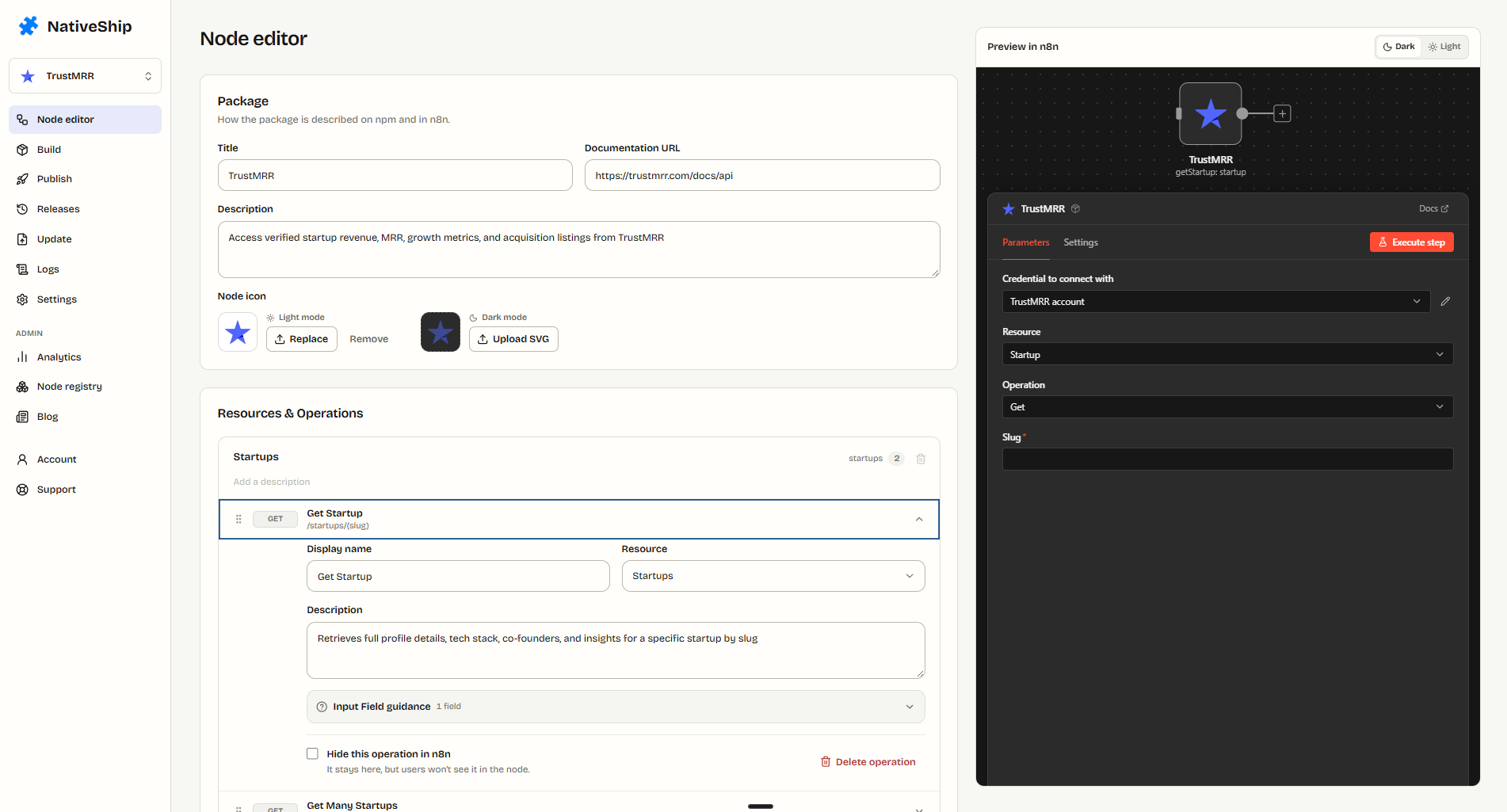
How NativeShip fits into the node-building process
Creating a community node involves more than writing the request that calls an endpoint. A typical project also needs a package structure, credential handling, user-facing fields, build checks, release management, and documentation.
NativeShip’s process is organized around those stages:
- Start with your API. Use the API your SaaS already exposes as the basis for the integration.
- Configure the node. Choose the resources, operations, fields, and authentication that n8n users will work with.
- Build the package. Generate the node package and review the build output before publishing.
- Publish and maintain it. Use your GitHub and npm accounts to ship the integration and release updates as your API changes.
That workflow can be useful for a small product team that wants to evaluate an n8n integration without first setting aside time to create all the package scaffolding by hand.
Design the node around customer tasks
The editor is where API capabilities become a user-facing n8n node. A good structure follows the way customers think about your product, not just the way your API routes happen to be named.
For example, an API might have endpoints for listing, reading, creating, and deleting customers. The n8n node could group those actions under a Customer resource and give each one fields with clear labels. That makes the node easier to scan and gives users a better sense of the actions available to them.
While configuring an integration, decide which operations deserve first-class support. Consider how credentials are entered, which fields are required, what happens when an API returns an error, and whether an operation should return one item or many. Starting with a focused set of common tasks is often easier to document and support than exposing every endpoint at once.
Build and review the n8n package
Once the node structure is ready, the package needs to be generated and checked. A build step turns the editor configuration into files that n8n can install and use. Reviewing this stage helps catch missing fields, package metadata issues, or other problems before a release reaches users.
NativeShip provides a build workflow for generating and validating the package. Before publishing, test the actions customers will rely on: successful requests, missing or invalid credentials, empty results, and API errors. Also confirm that the fields and descriptions make sense to someone who has never seen your internal API documentation.
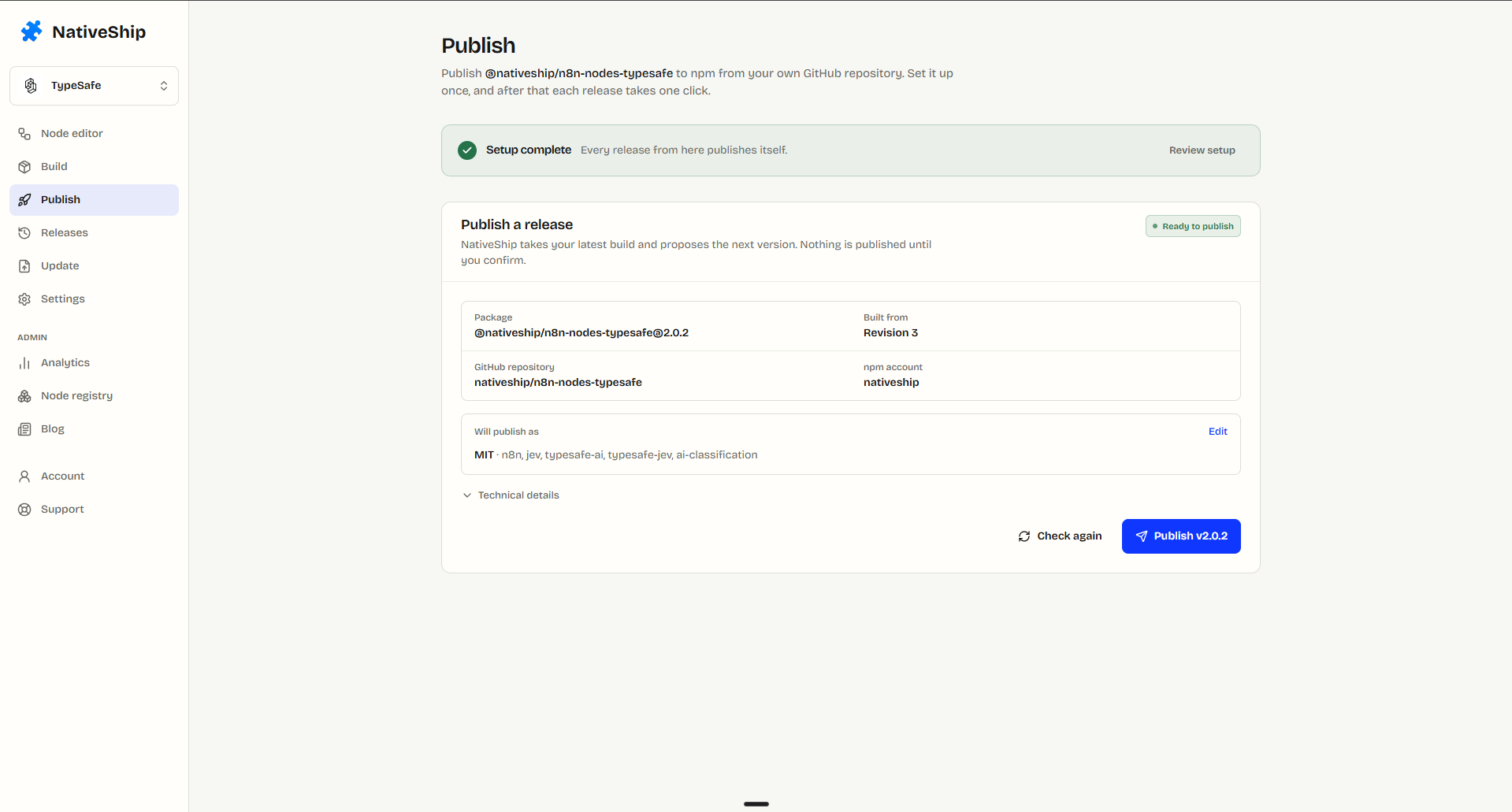
Publish under your own accounts
NativeShip’s publishing workflow is intended to let product teams ship the generated package through their own GitHub and npm accounts. That keeps the package connected to the team responsible for the product and its API. You can review your release process and decide when a package is ready to become public.
Before publishing, check the package name, documentation, support contact, version number, and license. Make sure the package does not include secrets or internal configuration. You should also review the current n8n community-node installation requirements for the kind of n8n deployment your customers use, since workspace policies and installation options can differ.
Keep versions aligned with your API
An integration needs maintenance after launch. Your API may add endpoints, rename fields, change authentication, or retire old behavior. If the n8n node does not keep pace, customers can encounter stale options or workflows that no longer work as expected.
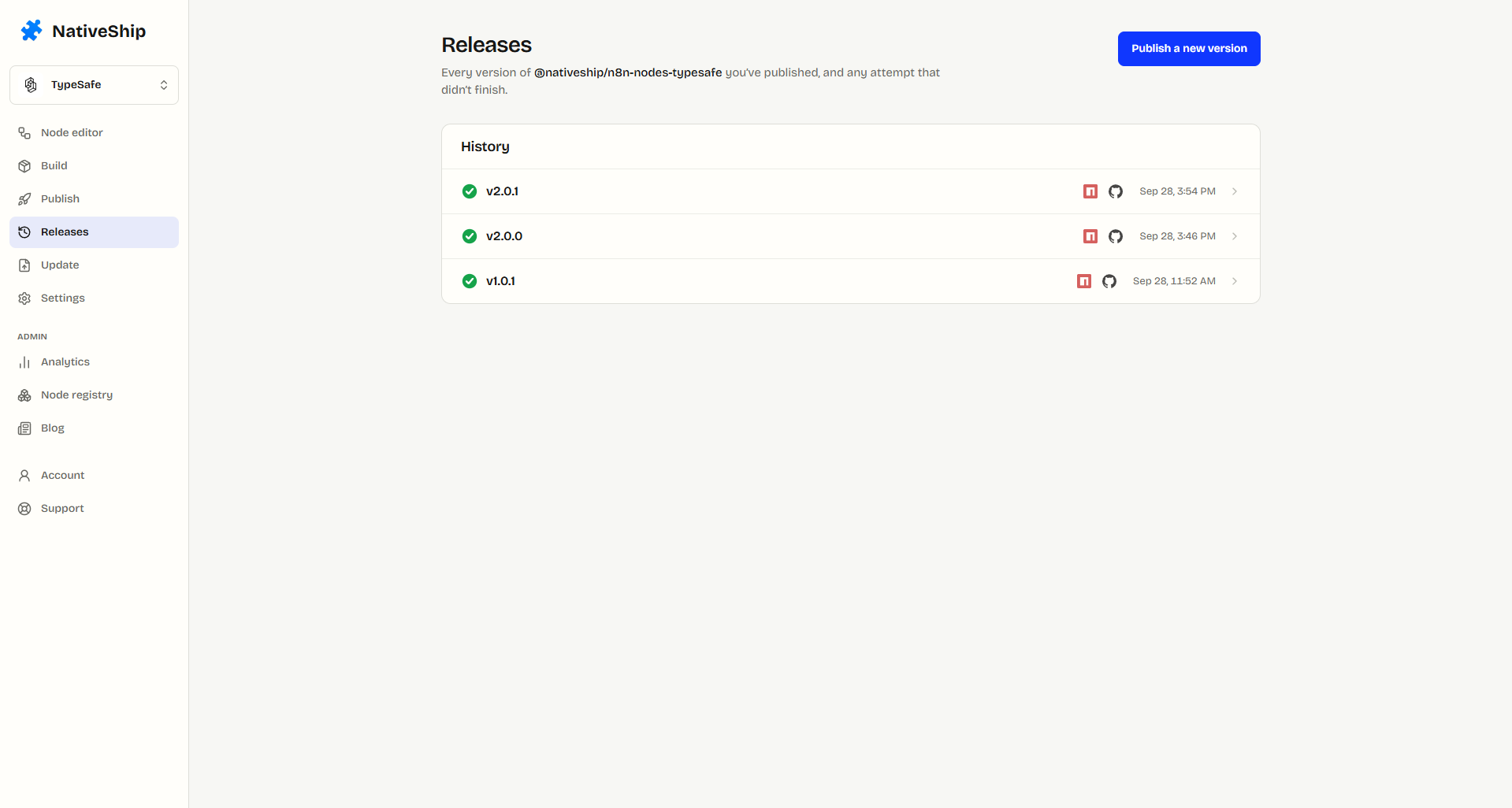
Treat the node as part of your product surface. When your API changes, decide whether the n8n package needs an update, test the affected operations, and publish a new version with useful release notes. A repeatable build and release process makes that upkeep easier to plan.
NativeShip includes a version and release workflow for managing changes to the generated package. The screenshot below can help readers see how a project’s versions are presented.
Examples of n8n nodes built with NativeShip
The NativeShip node directory gives examples of community nodes created for different SaaS products. It includes tools for areas such as SEO, social publishing, email verification, sales, AI memory, and analytics.
For instance, an SEO platform’s node can expose actions for working with articles, keywords, products, and search performance. A social publishing product can make content publishing one step in a larger workflow. These examples show how an integration can give customers access to product features from the same n8n canvas where they already coordinate other services.
When reviewing examples, look beyond the number of operations. Check whether the node covers the actions your customers ask for, whether authentication is clear, and whether package updates track the underlying product.
Who should consider NativeShip?
NativeShip may be worth evaluating if your team:
- Already has a documented API
- Has customers asking for n8n support
- Wants to make common API actions easier to configure
- Needs a repeatable way to build and update a community node
- Wants to focus engineering time on its core product
It is still important to plan for ownership after the first build. Someone on your team should decide what the node supports, verify releases, respond to customer questions, and keep the integration aligned with API changes.
NativeShip pricing
NativeShip’s pricing page currently lists a one-time payment of $199. Check the current NativeShip pricing before making a decision, since pricing and included features can change.
When comparing the cost with building a node in-house, include the work beyond the first release: implementation, packaging, testing, documentation, and updates. The right choice depends on your team’s engineering capacity, how much customization the integration needs, and how central n8n support is to your customers.